 Private Chat
Your messages go to your people, not to a company.
Private Chat links Android phones and Windows computers straight to the people you choose. Messages, calls and files are locked on your device before they leave, and no server keeps a copy.
Free for 30 days on every device. No account, no card. After that, one small payment keeps it on that device for life.
Start a chat in under a minute
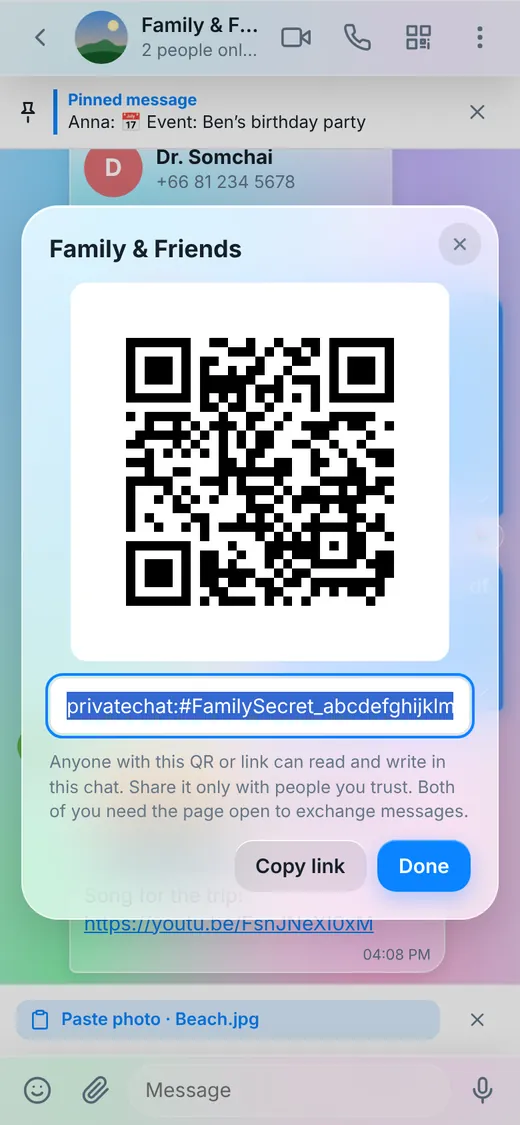
There is nothing to sign up for. The chat itself is the key: whoever has its QR code or link is in it.
Install the app
Download it from this site on your Android phone or Windows computer and open it. Type the name your friends will see.
Tap New chat
Private Chat makes a new chat with its own secret key and shows it as a QR code and a link.
Share it with your people
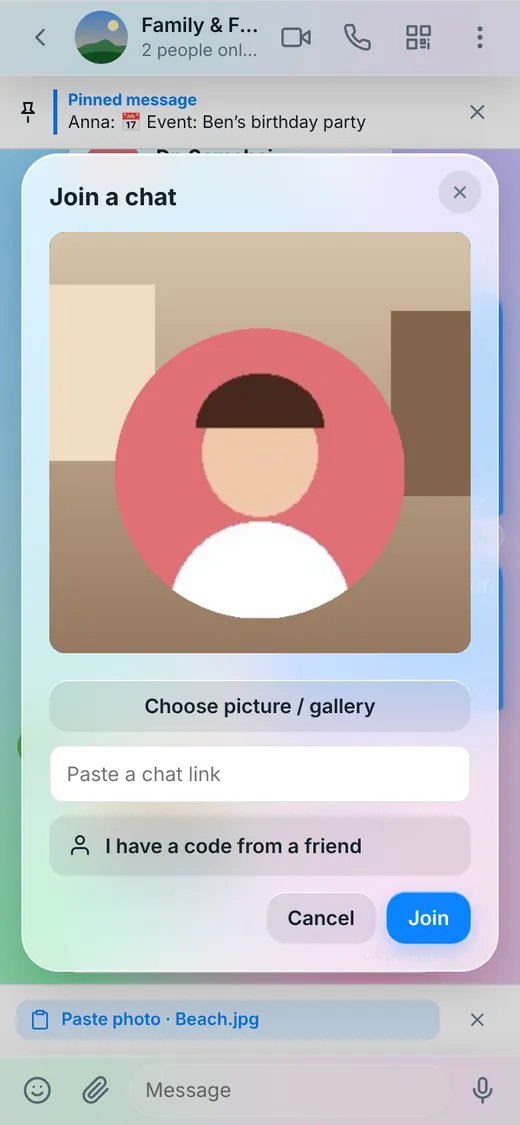
Let them scan the QR code, or send the link any way you like. Friends without a camera nearby can use a short code instead.
Talk
Write, send photos and files, call, or share where you are. Add the same chat on your phone and your computer if you like.
Everything you use every day, in one private app
Private Chat does what people expect from a modern messenger. What's different is where your messages go.
Chats that feel familiar
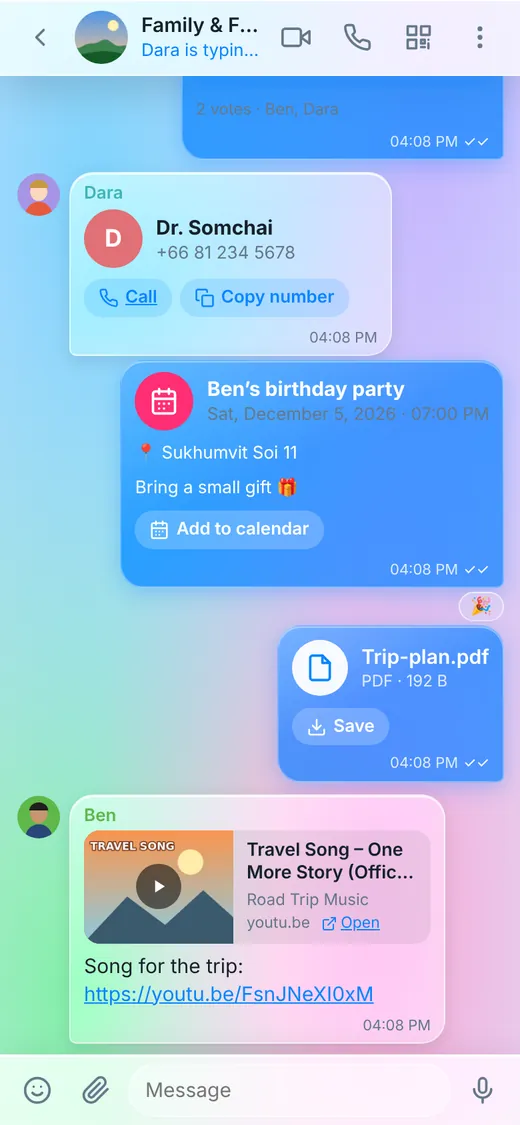
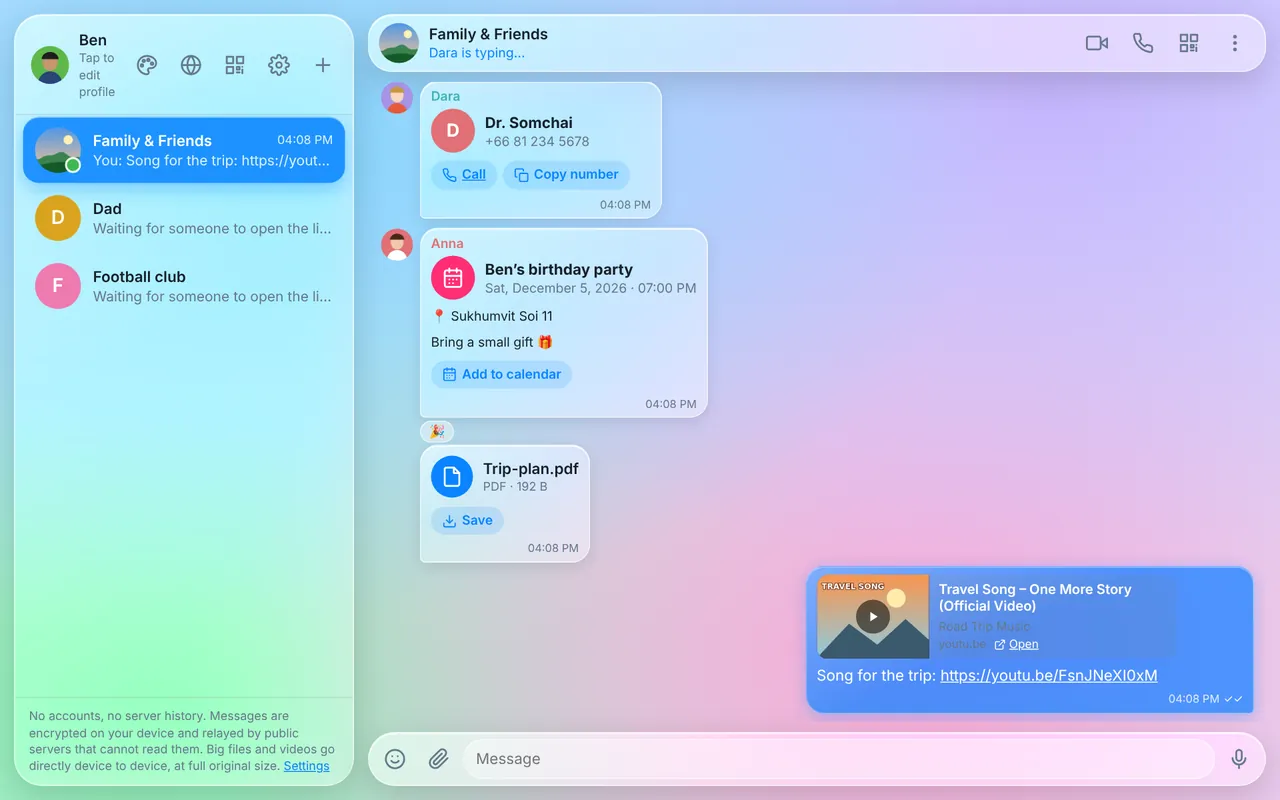
Groups and one-to-one chats work like the messengers you already know, on the phone and on the computer.
- Photos and videos at full size, files of any kind, voice messages
- Reply, forward, pin, star, edit and delete messages; reactions
- Polls, events with "Add to calendar", contact cards, stickers
- Group admins choose who can change the group and who can write
- Invite someone from a group to a separate private chat
Voice and video calls, also in groups
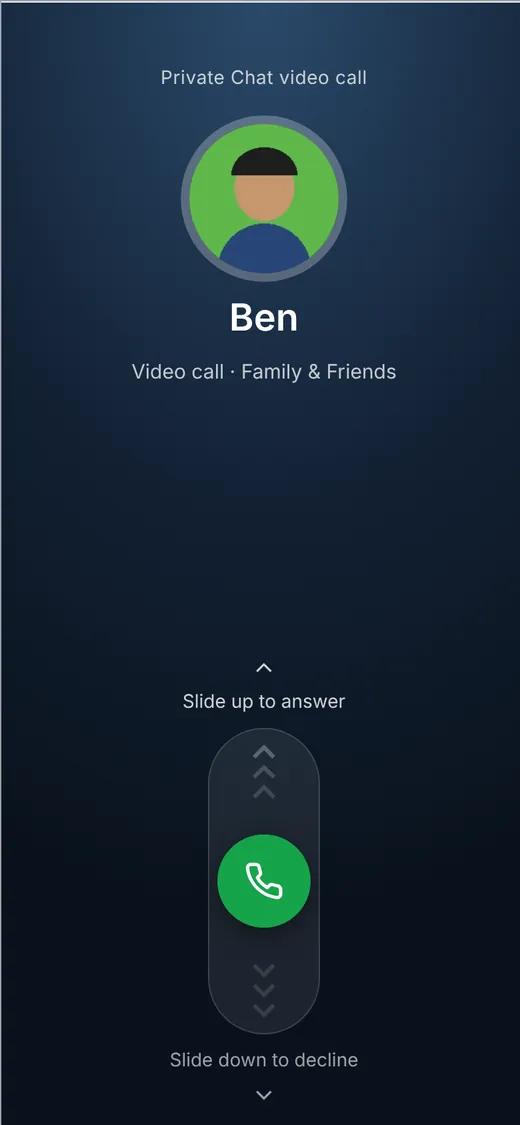
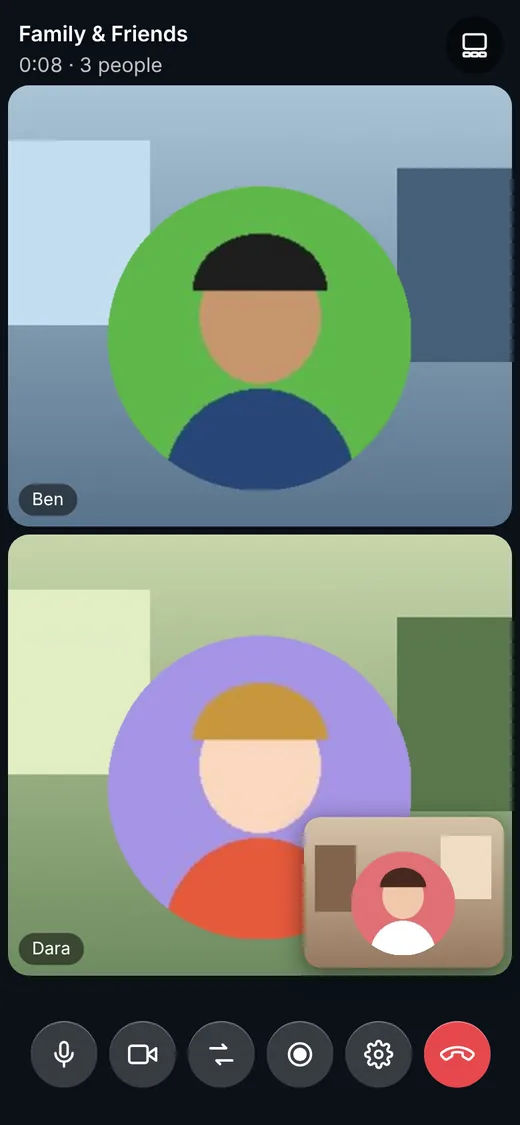
Calls go straight between the devices when the network allows it, so the picture stays sharp and nobody in between can watch.
- Slide to answer or decline, so a call is never picked up by accident
- Group video with grid or spotlight view, switch camera, mute
- Record a call to your device. Everyone in the call sees that it's being recorded.
Know your family got home
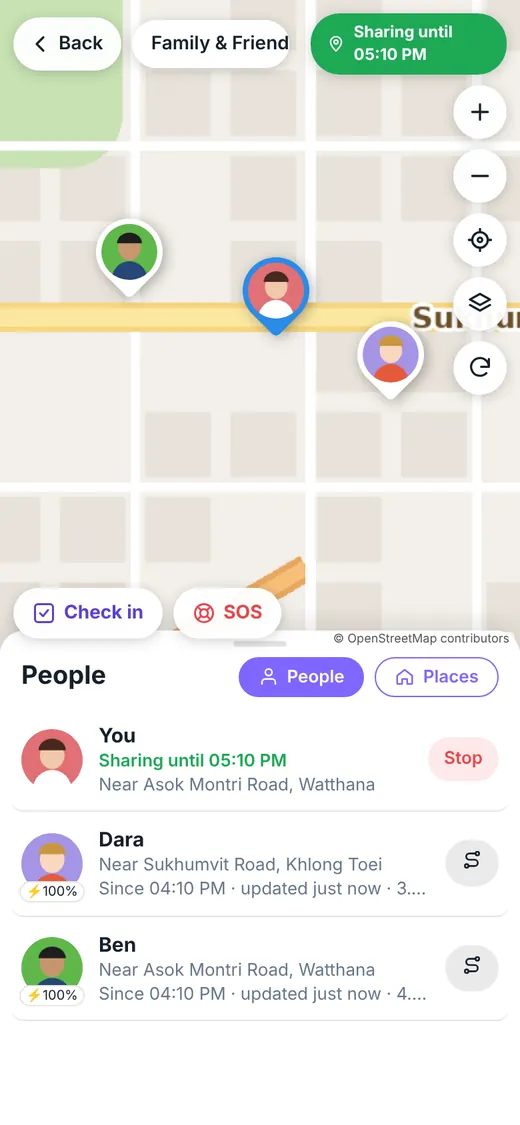
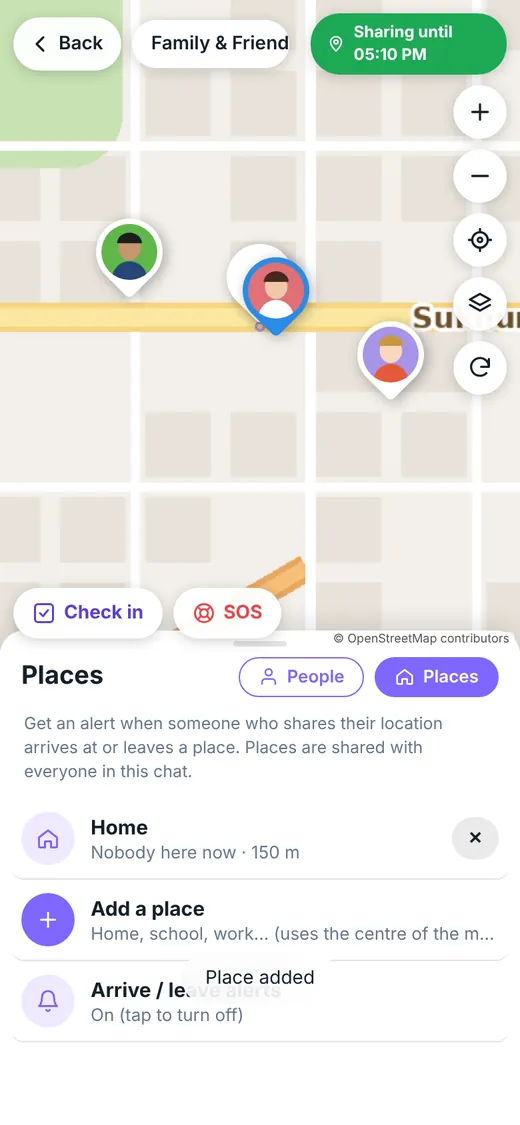
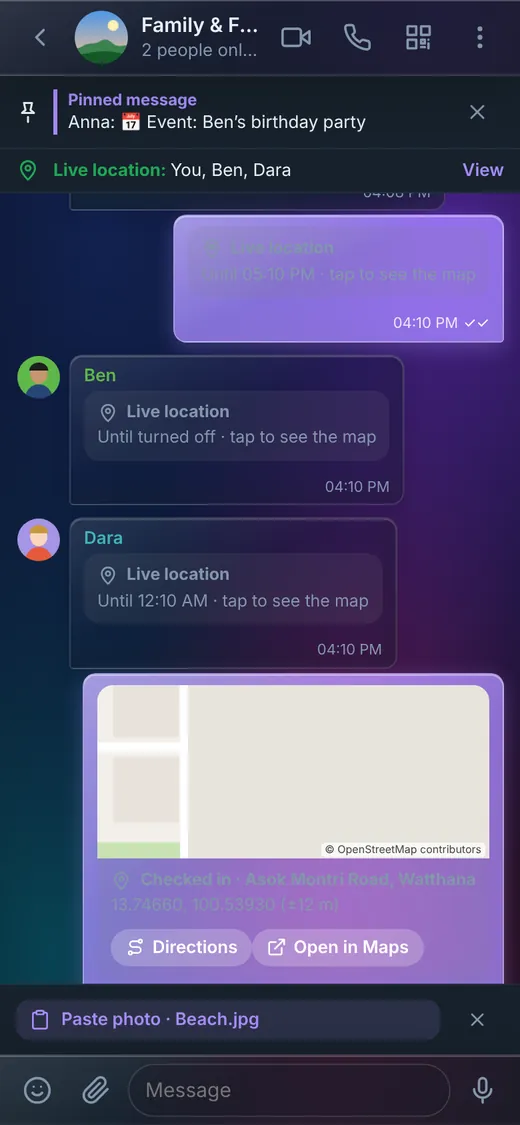
Share your live location with a chat for as long as you choose, and see everyone on one map. It's off until you turn it on.
- Live map with the people who share, their address and battery
- Check in with one tap, or send an SOS with your position
- Places like Home or School: get an alert when someone arrives or leaves
- Free maps with street, terrain and satellite views
Watch shared videos without leaving the chat
When someone sends a video link, it plays in a small floating player you can move and resize while you keep chatting.
- YouTube, Facebook, TikTok, Instagram, Vimeo, Dailymotion, Streamable and video files
- Built-in browser with favourites, most visited, history and a private mode
- Send any web page into a chat in two taps
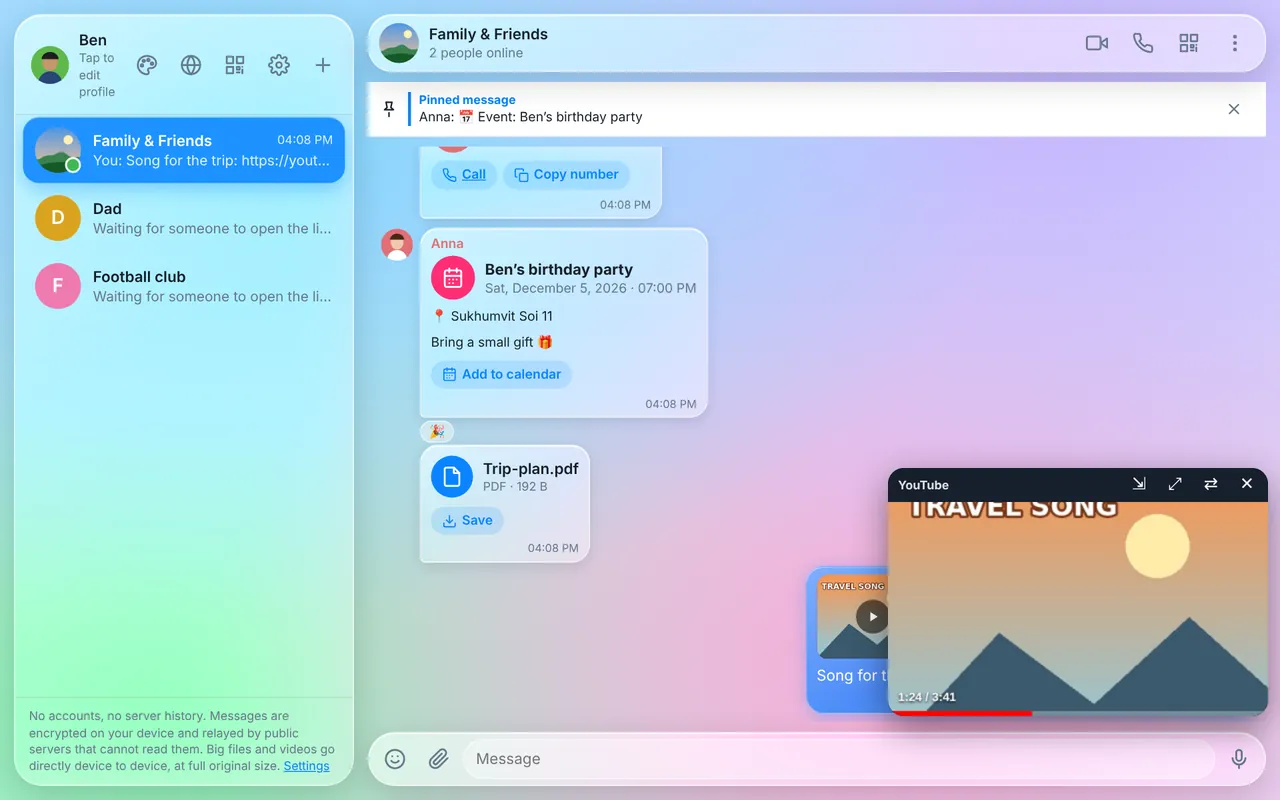
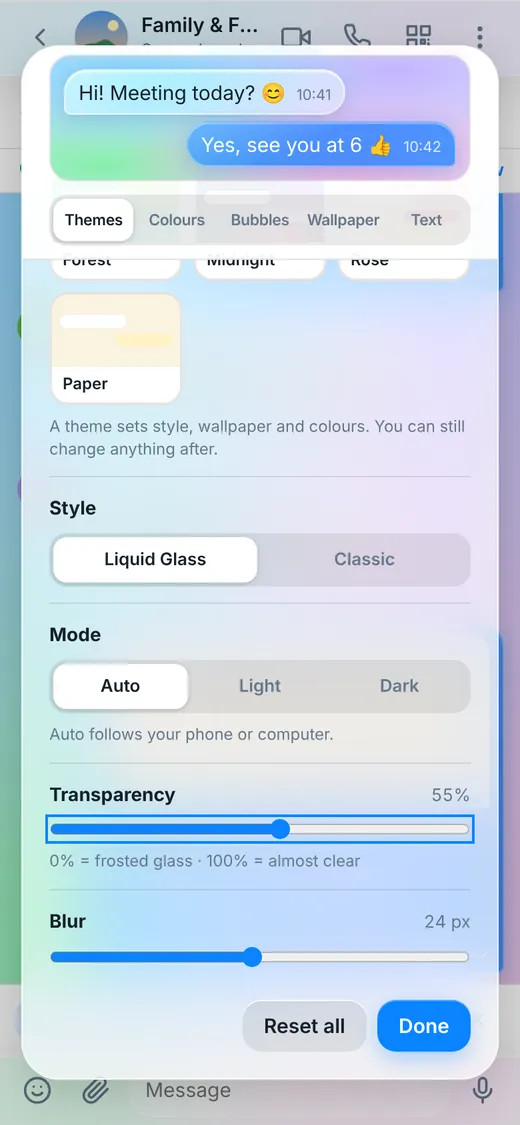
Make it look the way you like
Pick one of ten themes or set your own colours, chat bubbles, wallpaper, text size and dark mode.
Also included
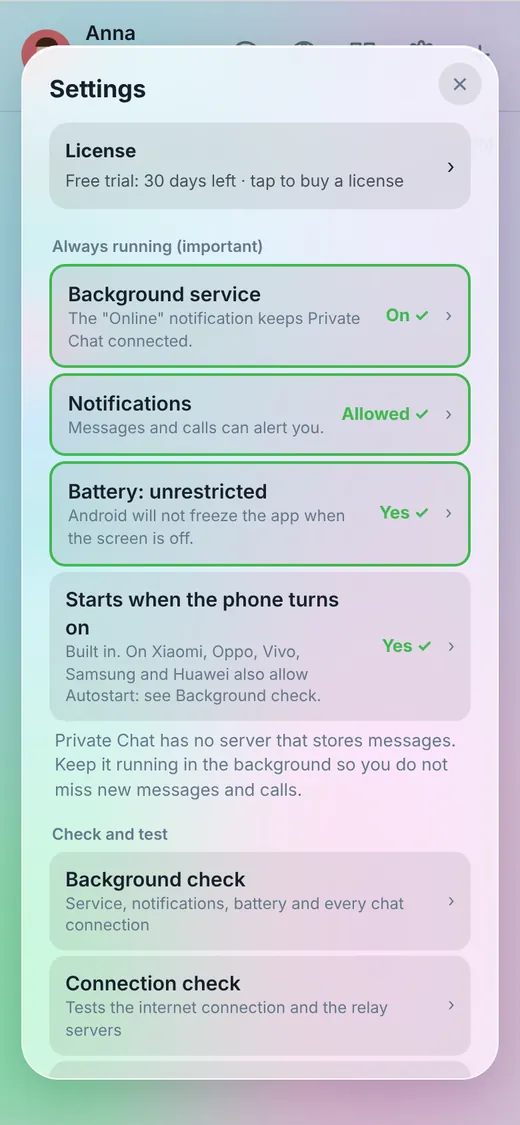
- Runs in the backgroundStarts with your phone or Windows and keeps working, so messages and calls reach you.
- NotificationsMessages and calls alert you even when the app is closed.
- Connect with a codeTwo friends who are apart can link up with a short code, no QR needed.
- Several chats at onceFamily, work, friends: each chat has its own secret key.
- Same chat on phone and PCOpen the chat's link on your computer and use both.
- Check toolsBackground and connection checks tell you exactly what to fix if something is off.
Why people choose Private Chat
Most messengers need your phone number and run through the company's own servers. Private Chat is built the other way around.
| What matters | Private Chat | A typical messenger |
|---|---|---|
| To start using it | Pick a name. That's all. | Phone number or email, verification code |
| Who can see your contacts | Nobody. It never reads your address book. | Often uploaded to the company |
| Where your chat history lives | Only on your own devices | Usually also on the company's servers or cloud backups |
| What sits between you and your friends | Public relays that only see scrambled data | The company's own servers |
| Photos and videos | Sent at full size | Often compressed |
| Ads and tracking | None | Varies |
| Cost | 30 days free, then one small payment per device for life | Free, paid by your data or ads |
Good to know before you start
Private Chat works differently from big messengers. These points come with that, so you know them up front.
The QR code is the key
Anyone who has a chat's QR code or link can read and write in that chat. Share it only with people you trust, and start a new chat if it reached the wrong person.
Keep it running in the background
There is no server holding messages for you, so the app delivers them while it's running. On Android, allow the background service, notifications and unrestricted battery when the app asks. On Windows, leave it in the tray.
Your history stays with your device
No cloud copy means nobody else can read your chats, but it also means a lost or reset phone takes its chat history with it.
You install it from this website
Private Chat isn't in Google Play or the Microsoft Store. Android and Windows will ask you to confirm the install; the download page shows each screen.
Both of you need the internet
Wi-Fi or mobile data on each device. Calls and big files go device to device whenever the network allows it.
Android and Windows
Private Chat is made for Android phones and tablets (Android 7 or newer) and Windows 10 or 11 computers.
Try it free for 30 days. Then keep it for life.
Each device gets its own free month with every feature. If you want to keep using it, you buy a lifetime license for that device. The price is a small donation that pays for future development.
- Day 1
Install Private Chat. Everything works, nothing is locked.
- Any day you like
Open Settings, then License. You'll see the days left and your device code.
- Send your code
Email your device code to the developer. You'll get the price and how to pay.
- Lifetime
Paste the license key you receive and tap Activate. That device is yours to use for good.
How the license works
- One license key works on one device. A phone and a computer need one key each.
- You can buy before the 30 days are over. Your trial just turns into the lifetime license.
- If the 30 days end first, the app locks until you enter a key. Your chats stay on the device and come back as soon as it's activated.
- Reinstalling the app on the same device keeps the same device code, so your key still works.
- Changed your phone, did a factory reset or reinstalled Windows? Email the developer with your old key and your new device code.
Buy a license
Write to either address. Copy it into your email app.
What to write (copy and fill in):
Subject: Private Chat license

Hello, I would like a lifetime license for Private Chat.
Device: Android phone / Windows computer
Device code: XXXX-XXXX-XXXX-XXXX
Name:
Find your device code in Private Chat under Settings, then License. It has a Copy button too.
Download the free trial
Choose your device. The download page walks you through each install screen.
Windows
- Works on
- Windows 10 or 11, 64-bit
- File
- PrivateChat-Windows-v00.zip
- Size
- 5.8 MB
Want to learn every function first? Read the complete picture guide (PDF, 12.1 MB).
Questions people ask
Is the trial really free?
Yes. You get 30 days with every feature on each device. There's no account and no card to enter.
How much does the license cost?
The price is a small donation toward future development. Email your device code and you'll get the current price and the ways to pay.
Can I enter the key before the trial ends?
Yes. Open Settings, then License, paste the key and tap Activate. It works on any day of the trial.
I use a phone and a computer. Do I need two keys?
Yes. Each device has its own device code, so each one needs its own key. You can add as many devices as you like.
Do my friends need to buy it too?
Everyone gets their own 30 free days on their own device. To keep using it after that, each device needs a license.
Can the developer read my messages?
No. There is no Private Chat server that stores messages, and the key to each chat stays on the devices in that chat. The relays that pass messages along only see scrambled data.
What happens when the trial ends and I haven't bought yet?
The app shows a lock screen with your device code and the contact addresses. Your chats stay on the device. Enter a key and everything comes back.
I got a new phone or reset mine. Is my license gone?
A new or reset device has a new device code. Email the developer with your old key and the new code.
Why does my phone or Windows warn me when I install it?
Apps that don't come from Google Play or the Microsoft Store, or that don't have a paid publisher certificate, get an extra warning. The download page shows how to continue, and you can compare the file's checksum with the one printed there.
Is there an iPhone or Mac version?
Private Chat is made for Android and Windows.
Messages don't arrive when the app is closed. What do I do?
Open Settings and run the Background check. It shows which setting to turn on, such as the background service, notifications, unrestricted battery or autostart on Xiaomi, Oppo, Vivo, Samsung and Huawei phones.